[JSP] 3. WebProject(홈페이지 만들기) - 회원목록 조회하기
오늘은 전체 회원목록을 조회하기를 구현해 볼 것이다!
전체 회원의 정보를 열람하는 페이지이기 때문에 세션을 통해 관리자만 접근할 수 있도록 구현했다.
원래 지금까지 줄곧 ArrayList를 통해서 출력했는데 학원 수업에서 jstl을 통해서 출력하는 것을 배웠기 때문에 써먹어 봤다!
물론 과정평가형 시험에선 외부 라이브러리를 사용할 수 없기 때문에 시험에선 사용할 수 없겠지만 이번 평가에선 제약이 없었기 때문에 사용했다! 이번 프로젝트에 관한 포스팅이 끝나면 JSTL과 커넥션풀에 대한 정리도 까먹기전에 해야겠다!!
[memberListView.do]
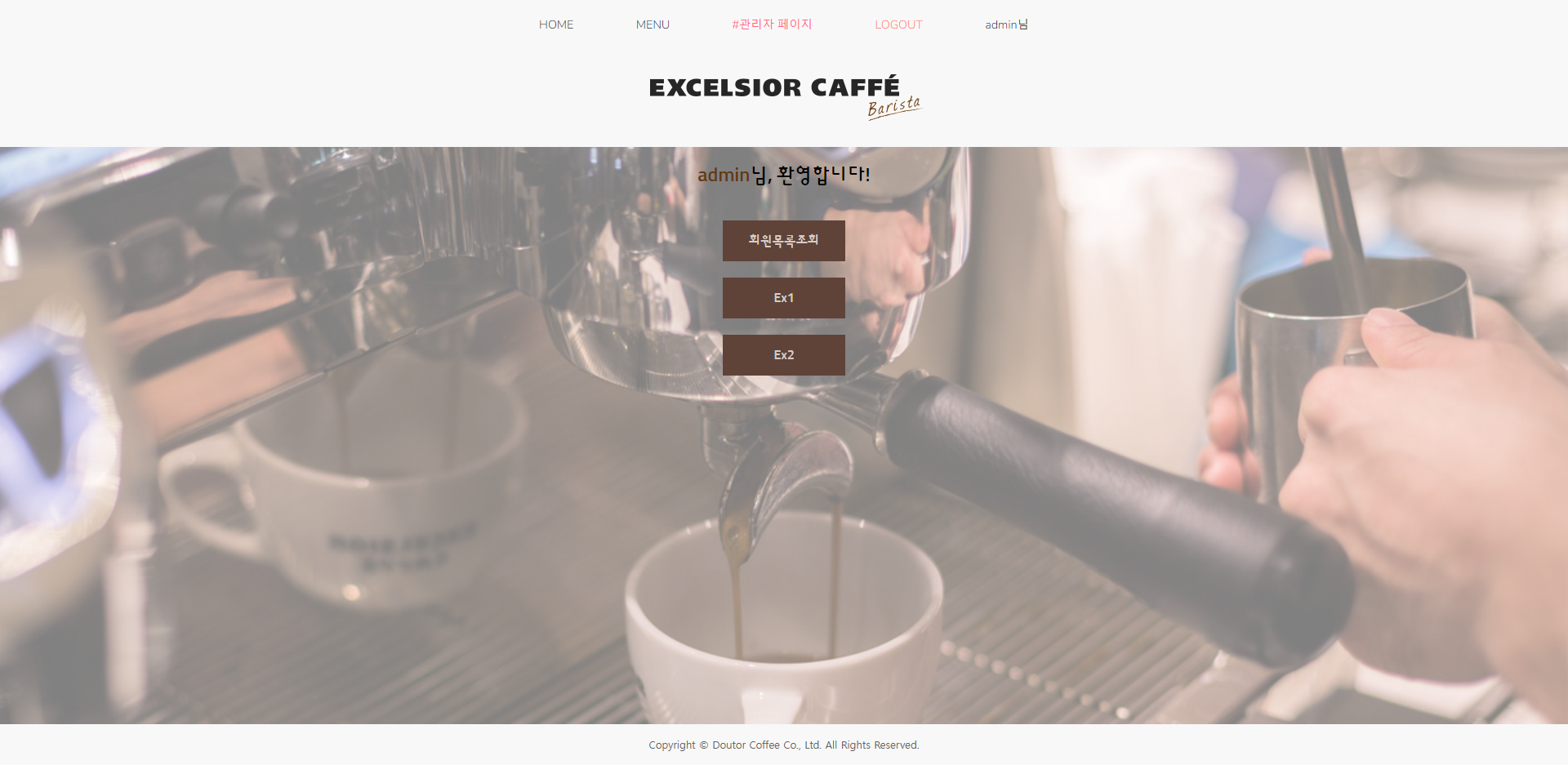
일단 관리자로 로그인하면 바로 연결되는 페이지엔 관리자 권한으로 할 수 있는 여러 페이지가 있겠지만 다른건 지금 중요한게 아니기 때문에 회원목록조회 버튼만 구현하고 나머지는 예시로 버튼만 만들어 두었다.
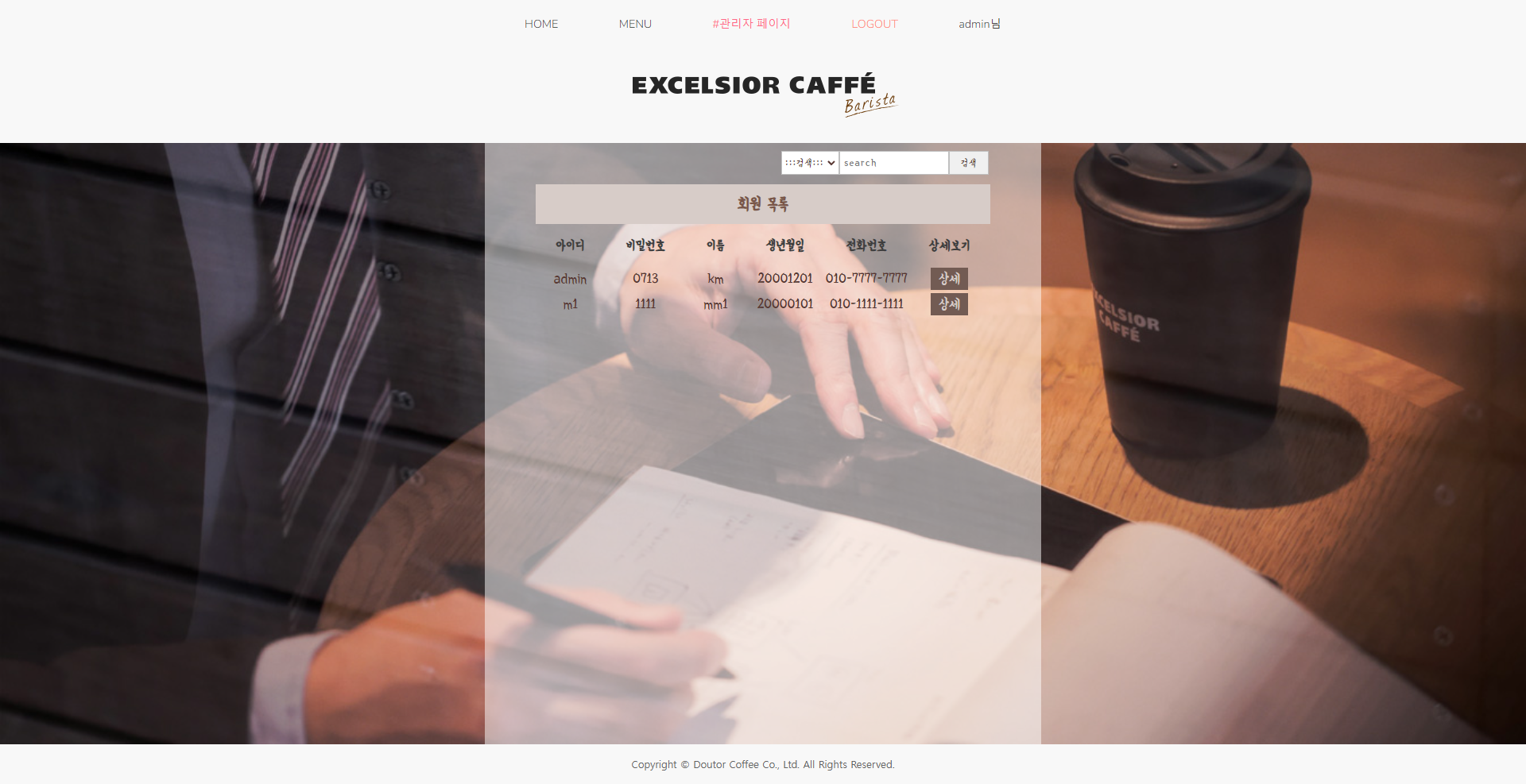
회원목록조회를 누르면 이렇게 회원목록을 출력한다.
(아직 검색은 구현을 안해서 그냥 존재만 할 뿐 아무것도 하지 않는다...)
[memberListView.jsp]
<%@ page language="java" contentType="text/html; charset=UTF-8"
    pageEncoding="UTF-8"%>
<%@taglib prefix="c" uri="http://java.sun.com/jsp/jstl/core" %>
<%@taglib prefix="sql" uri="http://java.sun.com/jsp/jstl/sql" %>

<%
	request.setCharacterEncoding("UTF-8");
	String userId=(String)session.getAttribute("sessionId");
	if(userId==null || !userId.equals("admin")) {
    response.sendRedirect("/index.do");
	}
%>
<!DOCTYPE html>
<html>
<head>
<meta charset="UTF-8">
<title>MemberList</title>
<link rel="stylesheet" href="css/memberListView.css" />
</head>
<body>

<!-- Connection, DB Connect -->
<sql:setDataSource
	var="connect"
	driver="oracle.jdbc.driver.OracleDriver"
	url="jdbc:oracle:thin:@//localhost:1521/xe"
	user="system"
	password="1234"
/>

	<%@include file="common/header.jsp" %>

	<%-- 회원목록조회 --%>
	<sql:query var="result" dataSource="${connect }">
		select * from pj_member
	</sql:query>

	<div class="container">
		<div class="inner-con">
			<div class="memberListView-con">
				<div class="search">
					<div class="search-con">
						<form action="search.do" method="post" id="searchForm">
							<select name="sel" id="sel">
								<option value="">:::검색:::</option>
								<option value="userId">아이디</option>
								<option value="userName">이름</option>
								<option value="userBirthday">생년월일</option>
								<option value="userPhone">전화번호</option>
							</select>
							<input type="text" name="search" id="search" size="20" maxlength="20" placeholder="search"/>
							<input type="button" value="검색" id="searchBtn"/>
						</form>
					</div>
				</div>
				<div class="table-con">
					<table>
						<thead>
							<tr>
								<th class="tit" colspan="6">회원 목록</th>
							</tr>
							<tr>
								<th>아이디</th>
								<th>비밀번호</th>
								<th>이름</th>
								<th>생년월일</th>
								<th>전화번호</th>
								<th>상세보기</th>
							</tr>
						</thead>
						<tbody>
						<c:forEach var="member" items="${result.rows }" varStatus="status">
							<tr>
								<td>${member.userId }</td>
								<td>${member.userPw }</td>
								<td>${member.userName }</td>
								<td>${member.userBirthday }</td>
								<td>${member.userPhone }</td>
								<td><a href="memberView.do?userId=${member.userId }">상세</a></td>
							</tr>
						</c:forEach>
						</tbody>
						<tfoot></tfoot>
					</table>
				</div>
			</div>
		</div>
	</div>

	<%@include file="common/footer.jsp" %>

</body>
</html>
/*memberListView.css*/
@import url("common/reset.css");
@import url("common/header.css");
@import url("common/footer.css");
@import url('https://fonts.googleapis.com/css2?family=Yeon+Sung&display=swap');
.container {
width: 100%;
height: calc(100vh - 180px);
}
.inner-con {
width: 100%;
height: calc(100vh - 180px);
background-image: url("../img/ekuse5.jpg");
background-repeat: no-repeat;
background-size: cover;
background-position: bottom;
display: flex;
justify-content: center;
}
.memberListView-con {
background: rgba(255, 255, 255, 0.5);
width: 700px;
}
.search-con {
display: flex;
justify-content: flex-end;
margin: 10px 66px 10px 0px;
}
.search-con form select {
height: 30px;
font-family: 'Yeon Sung', cursive;
letter-spacing: 1px;
border: 1px solid #c0c0c0;
color: #583732;
float: left;
}
.search-con form input {
height: 30px;
font-family: 'Yeon Sung', cursive;
letter-spacing: 1px;
border: 1px solid #c0c0c0;
}
.search-con form input[type=text] {
padding-left: 5px;
}
.search-con form input[type=button] {
width: 50px;
color: #583732;
float: right;
}
.table-con {
display: flex;
justify-content: center;
text-align: center;
font-family: 'Yeon Sung', cursive;
font-size: 1.1em;
}
table thead tr th {
line-height: 50px;
padding: 0 25px;
color: #3e3e3e;
}
.tit {
background-color: #d7ccc8;
color: #795548;
font-size: 1.2em;
}
table tbody tr td {
line-height: 30px;
color: #583732;
}
table tbody tr td a {
background-color: #725b53;
width: 100px;
padding: 5px 10px;
color: #d7ccc8;
}jstl을 사용했기 때문에
<%@taglib prefix="c" uri="http://java.sun.com/jsp/jstl/core" %>
<%@taglib prefix="sql" uri="http://java.sun.com/jsp/jstl/sql" %>
태그라이브러리를 추가해준다.
그리고 관리자가 아니면 접근할 수 없는 페이지이기 때문에 관리자가 아니면 sendRedirect를 통해서 인덱스 페이지로 이동시켰다.
<sql:setDataSource
var="connect"
driver="oracle.jdbc.driver.OracleDriver"
url="jdbc:oracle:thin:@//localhost:1521/xe"
user="system"
password="1234"
/>
sql:setDataSource를 통해서 데이터베이스에 접속한다.
sql:query를 통해서 쿼리문을 실행시키고 그 값을 var="result"에 담았다. dataSource="${connect }" 을 통해서 DB연결 한다.
c:forEach문을 통해서 값을 출력할건데 출력하는 방법에는 검색해보니 여러가지 방법이 있는것 같다. columnNames, rowsByIndex 등등...
난 rows로 테이블 형태로 출력했다.
forEach의 변수값 member에서 값을 하나하나 출력했다.
아직 배운지 얼마 안된 지식이라 완벽히 이해하지 못했지만 훨씬 간편하게 값을 가져와서 출력할 수 있는거 같다.
jstl을 통해서 DB연결과 출력 모두 했기때문에 컨트롤러에서 memberListView.do로 오는 요청을 url을 통해서 바로 jsp로 연결해주면 된다.
다음으론 회원 상세보기를 통해서 정보를 수정하거나 회원탈퇴를 할 수 있는 페이지를 구현할 것이다!